Oscar Craven

Lab

Small tools I built for my own working day. Most run on your own computer, with the AI plan you already have. One test I parked, and I say why.

Open Loops: one list of who needs you and who you are waiting on, with a drafted follow-up.
Who needs you, and who you are waiting on, in one list.

Released for Windows and Mac

Open Loops

A local, open-source app. It lists what you have asked people for on Slack and Gmail, and what they are waiting on you for. Then it drafts the follow-up in your own words.

It uses the Claude, ChatGPT or Grok subscription you already have. It only drafts unless you switch sending on.

Before and after. On the left, a long, rambling chat message. On the right, Plainspeak’s plain summary: the point, what they want, by when, and what is unclear.
Before and after, on a fictional message. Nothing is sent.

Works now, build from source

Plainspeak

A Mac menu-bar app. It explains or corrects the message under your pointer, in plain English. It never sends anything.

It runs Claude Haiku on your own Claude plan. There is no installer yet.

The Slipway window. Agent tabs run along the top. A column on the right lists branches and their GitHub status.
Slipway in use, October 2026. One agent per tab, every branch and its status on the right.

Released for macOS and Windows

Slipway

A desktop app that gives each Git branch its own worktree, terminals and GitHub status. It shows what the coding agents in each one are doing.

I built it for a faster working day. It handles many sessions at once, fast GitHub, and quick terminal and file work.

A Telegram chat with my research bot. I send a YouTube link and the bot says it is on it. A PDF brief arrives three minutes later.
A video link goes in on Telegram. The PDF brief came back three minutes later. July 2026.

Runs every day

My research vault

A research wiki that agents keep up to date for me. I send links from my phone. Short briefs come back to it as PDFs. It runs on Claude Code.

  • 13scheduled agents on my Mac (macOS LaunchAgents)
  • 111sources filed and linked
  • 57video briefs written
  • 24 hoursbefore a big change applies, so I can say no

Counts as of 11 October 2026, taken from the vault. Telegram is the way in and the way out.

How it works, step by step
  1. Capture. I clip a page or send a link to a Telegram bot. A small script picks it up every minute. No AI in that step.
  2. File. An agent writes a source note, links it to the right topic pages and logs what changed.
  3. Brief. On a schedule, agents write lessons, video briefs and a morning report.
  4. Deliver. Each brief becomes a PDF and lands on my phone.
  5. Check. Weekly and monthly checks propose fixes. They apply only after 24 hours.

As set up on 11 October 2026. The vault also saves itself to Git every 10 minutes and tells me if two edits clash.

What its Telegram messages look like. Club names are made up.

Runs every 15 minutes

Padel slot tracker

Tells me the moment a court opens at the clubs I play at. It checks Playtomic every 15 minutes, in the hours I can play, and sends a Telegram message only when something new appears.

The first version used an AI model to drive a browser and write each message. Once I understood the workflow, the model was no longer needed. The tracker is now about 250 lines of plain Python, no AI in the loop, and costs nothing to run.

  • 0AI calls per run, down from one per check
  • ~250lines of Python, standard library only

The lesson: use AI to learn a job, then ask whether the finished job still needs it.

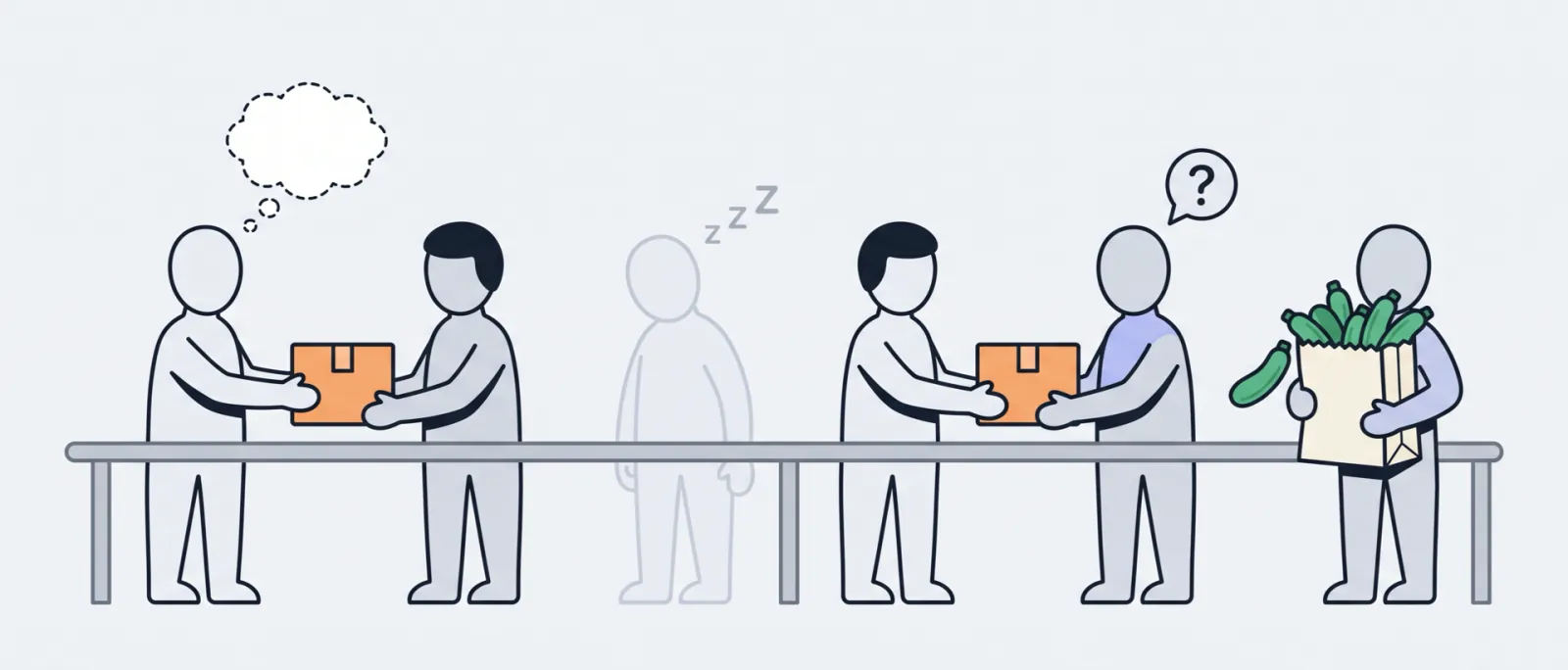
Illustration: six figures pass a parcel along a rail, like a relay. One has an empty thought bubble. One is asleep and one is confused. The last carries a bag of courgettes.
Left to right: an empty head, a sleeping agent, a confused one, and the courgettes.

Parked, 12 October 2026

OpenClaw squad

A homelab test, not part of my job. Six agents handed their work to the next one. It built my AI game benchmark. I parked it. This is why.

  • A context vampire. It soaked up context and was very expensive.
  • A heavy harness. On the benchmark, about 60% of the bill was coordination: $1.83 of overhead for every $1 of building or judging.
  • It confused itself. Agents did not check their own decisions.
  • One boss, many agents. A bad idea for jobs that repeat.
  • Models not ready. The job needed far stricter, more predictable output.
  • The basics. No context caching, and some downtime.

It once bought 16 courgettes when I wanted 4.

From the benchmark’s own pipeline bill, 2026: builders and judges about $364, coordination about $753.

Want to build something like this?

Tell me what slows your day down. I read every message myself.

Send me a message